Apple’s iPad: The Specs Sheet

Requirements:

Mac computer with USB 2.0 port OR PC with USB 2.0 port

Mac OS X v10.5.8 or later OR Windows 7, Windows Vista; Windows XP Home or Professional with Service Pack 3 or later

iTunes 9.0 or later (free download from www.itunes.com/download)

iTunes Store account

Internet access

Environmental Impact:

Arsenic free

BFR-free

Mercury-free

PVC-free system

Recyclable

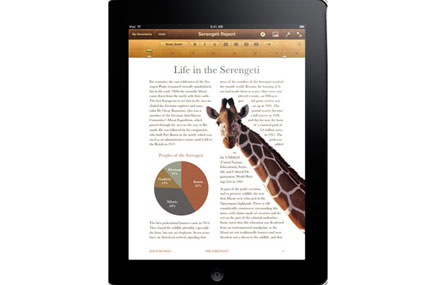
iBook:

Will function with new iBook Store for e-reading

Photos in b&w and color

(More on Techland: A Gallery of Apple’s Hits and Misses)

iWork:

$9.99 each for Numbers, Keynote, Pages

Compatible with iWork ’09 mac versions

Allows you to import Microsoft Office docs

Available in the apps store
Inputs & Outputs:

Dock connector

SIM card tray (Wi-Fi + 3G model only)

USB ports (will sync with iPods)

Power button at top

No camera
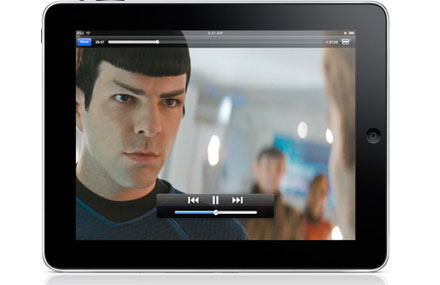
Audio:

Built-in speaker

3.5-mm stereo headphone jack

Built-in microphone

Wi-Fi 3G, Two different data plans:

1. 250MB for $15/month

2. Unlimited data for $29.99/month

Deal with AT&T, but NO CONTRACT.

You can activate directly through the iPad. (No store visits)

Pricing:

Wi-Fi:

16GB is $499

32GB is $599

64GB is $699

Wi-Fi + 3G

16GB is $629

32GB is $729

64GB is $829

iPads shipping in 60 days, 3G (that comes unlocked) shipping in 90 days

International pricing coming in June or July

Accessories:
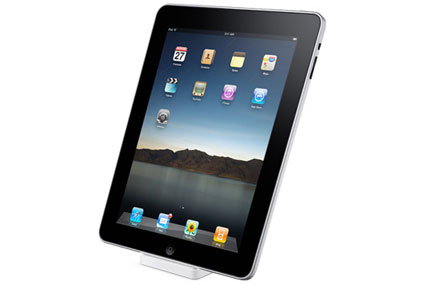

Dock
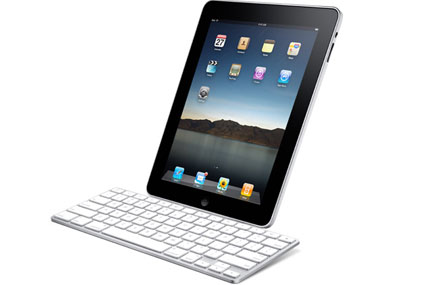
Keyboard
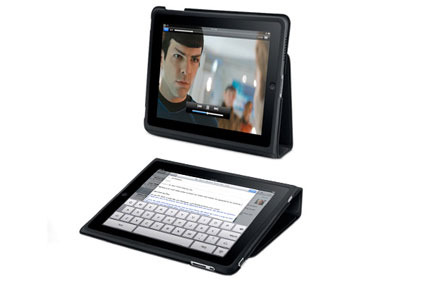

Case that wraps around and serves as a stand

Subscribe to Allie Townsend on Facebook
Related Topics: ipad, specs, tablet, Apple, Computers, Gadgets
  • Latest on Techland

    Jared Newman/Techland

    The 12 Best Android Widgets for 2012

    With all due respect to smartphone apps, sometimes you don’t want to open a new program just to get some quick info or perform a minor task. That’s where Android widgets come in handy, bringing the functionality of those apps right to the phone’s home screen. But not all widgets are wonderful. Some are glorified app launchers, while others are downright ugly. Here are the 12 best widgets that no discerning Android user should be without.

    The Thermostat WarsSlate

    Soulo

    Review: Soulo Converts iPad into Karaoke Machine

    Karaoke lovers typically fall into two categories: Those who enjoy it, and those whose arms have to be twisted to get up and sing in public. Enter Soulo, a software and microphone kit that can turn an iPad or other Apple device into a karaoke machine. It gives you instant karaoke in the privacy of your own home, or wherever you carry your Apple gadgets. That’s the idea, anyway.

  • http://grigorie.wordpress.com grigorie

    well, that’s something but I’m not quite thrilled. What about the e-reader? I already have iphone and macbook so why do I need this ipad? Just for spending more?

  • aurora700

    After it’s all said in done, do you think it’s still a ‘ginormous’ iPod Touch, Pete?

  • http://cheshacat.wordpress.com/ cheshacat

    I think GPS & camera are missing sorely.
    I would prefer the cellular capabilities through tethering.

  • http://cheshacat.wordpress.com/ cheshacat

    Does it have a speaker?

  • tereglith

    interesting. Is it closer to an expensive touchscreen netbook or an iPod touch with a pituitary problem, would you say?

  • http://cheshacat.wordpress.com/ cheshacat

    Yes, it does have a speaker.

  • gminnj

    But does it have a microphone? The touch does not, and you lose out on a lot of fun apps, recording, etc…

  • westcoastcynic

    Interesting that I have not seen comments here or elsewhere pro or con on not having a DVD player or any way to load portable content. Does this pretty much lock you into what you download? Might not be too good if you are not going to be near wifi or other connection.

blog comments powered by Disqus