

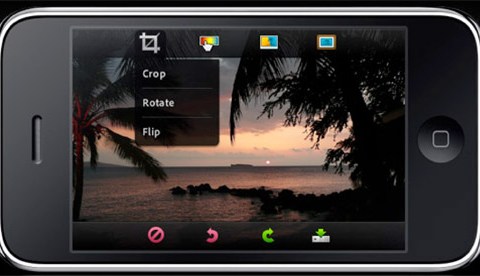
Who better to offer photo-processing software than the makers of Photoshop? Adobe’s free Photoshop.com Mobile app offers the following basic features with a simple swipe of the finger:
Basics: Crop, Straighten, Rotate, Flip
Color: Exposure, Saturation, Tint, Black and White, Contrast
Filters: Sketch, Soft Focus, Sharpen
Effects: Pop, Vibrant, Border, Vignette Blur, Warm Vintage, Rainbow, White Glow, Soft Black and White
Borders: Rectangle, Rounded, Oval, Soft Edge, Vignette, Rough Edge, Halftone, Film Emulsion
But that’s not all. Photoshop.com users have access to 2GB worth of photos and videos that can be viewed within the app from wherever you are. I mentioned it was free, right?
Photoshop.com Mobile
Photoshop.com Mobile [iTunes]
More on Techland: 18 Best Android Apps To Get You Started