


Imagine for a second that I’m reading this post to you aloud in an Irish accent. Or you could read this aloud in an Irish accent.
And so we begin.
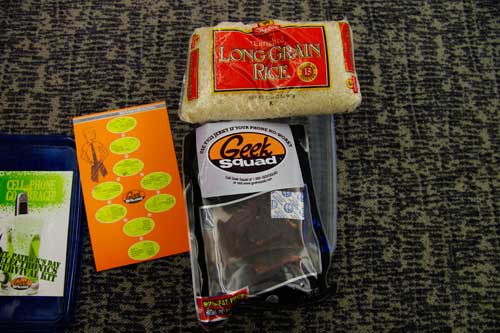
I’m not sure what the actual statistic is for cell phones being dropped into the toilet but I know it’s pretty high. So on this Hallmark Holiday of drinking, I present to you a St. Patrick’s Day Electronics Survival Kit. Actually, I’m totally ripping this off of Geek Squad but I’m okay with that if you guys are.
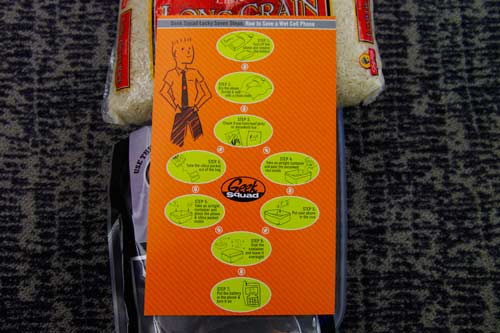
Step 1. Immediately turn off your cell phone and remove the battery.
Step 2. Pat it down with a dry cloth. Or your shirt. Unless, of course, you’re a filthy beast and haven’t washed said shirt in days or months. If that’s the case then go to the bathroom and get yourself some TP or paper towels.
Step 3. Do you have any uncooked rice or beef jerky lying around?
This is where it gets tricky.
Step 4 (Beef Jerky). If you haven’t already eaten the silica packet then remove it from your bag of jerky and throw it into an airtight container with your cell phone. (Wouldn’t this be difficult if you’re inebriated?)
Step 4 (Rice). Take an airtight container and dump the rice into it. Place cell phone in rice in container.
Step 5. Seal that badboy up and leave it overnight.
Step 6. Remove cell phone, insert battery and power it on.
Ta-da!
*Techland is not responsible if your cell phone remains busted after going through this process. You shouldn’t be texting, checking Facebook, Twittering, Checking-in or e-mailing over the toilet.