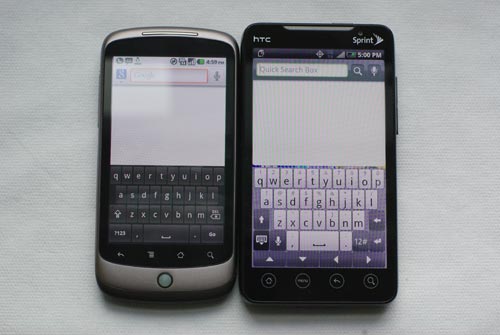
These days every manufacturer sets out to pack everything including the kitchen sink into a device but very few actually achieve such nirvana. HTC, however, managed to cram everything and anything into the EVO 4G for Sprint.
At its core, the EVO 4G is a beast of a device, both in size and specs. The 4.3-inch 800×480 screen is nothing short of amazing. No other device available in North America has an 8-megapixel camera that shoots 720p video and a forward facing camera for video chat. The EVO 4G is a well-oiled machine thanks to the 1GHz Snapdragon processor. And let’s not forget about the kickstand or 4G WiMax support, as well as wireless hotspot functionality. Bottom line: It has everything you need.
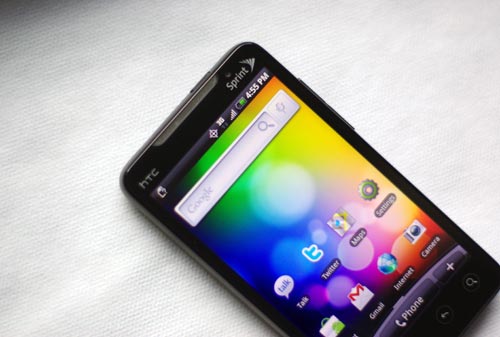
The one caveat and this is nothing against HTC is that the EVO 4G is running Android 2.1 even though Google announced Android 2.2 at the I/O conference. Fragmented release builds are nothing new for Android owners but everyone at the conference received an EVO 4G after the Froyo announcement. And neither HTC nor Sprint has said when Froyo will be rolled out for the EVO.
(More on Techland: Hands-on With Android 2.2 (Froyo) and Flash 10.1)
With that being said, the EVO 4G lacks the following features that are now available on devices running 2.2, which is currently limited to Nexus One devices.
• Automatic application updating
• OTA app downloads
• Remote wipe for enterprise
• iTunes sync
• Native hotspot support (There is Sprint Hotspot, though)
• Support for Flash 10.1
• App storage on a microSD card
From a day-to-day usage perspective, the EVO falls short mainly because the battery sucks. I’ve said in the past that any 3G device – 4G in this case – is going to have terrible battery life but the EVO takes the cake. I can’t even imagine what battery life is like when connected to 4G, but running on Sprint’s 3G network with moderate usage (web browsing, push e-mail, Twitter, Gchat, Google Maps) will fetch roughly 4.5 to 5 hours. Anytime you’re near a power port, I suggest you keep this vampire plugged in.
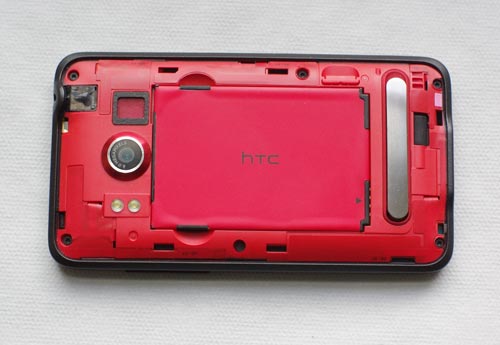
Like its T-Mobile HD2 (review) counterpart, the EVO 4G’s screen is massive making it a rather large device to lug around. It’s relatively lightweight given its size but has just enough heft to it that it doesn’t feel dainty. TheIncredible for Verizon (review) was the complete opposite. I’m pretty sure my house key weighs more than the Incredible, but that’s besides the point.
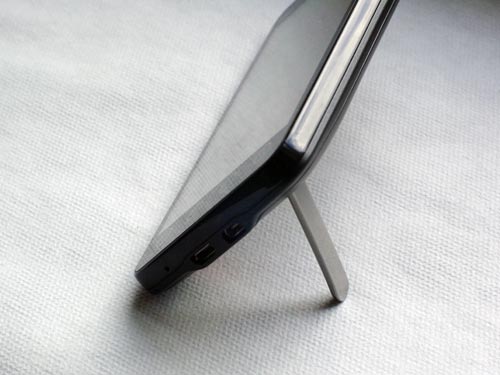
When I showed the EVO 4G to a friend last week in San Francisco, the first thing he said was “that’s not a phone, that’s a boat!” and I sort of agree. But viewing web pages, checking Twitter, finding out WTF I am via Google Maps and watching videos is so much more pleasurable. In other words, there’s plenty of breathing room. And having a kickstand that’s sturdy with satisfactory viewing angles makes a difference when watching video.
If that weren’t enough to sate your appetite, the screen isn’t OLED or AMOLED so you can actually use it outside under the sun.
Oh, and let’s not forget the keyboard. Since the EVO is running HTC’s Sense UI, you get the Sense keyboard, which is nice but until now has been relegated to small screen devices. With a 4.3-inch screen, I found myself tapping away at lightning speeds.