


Mouseless is a self-described “invisible computer mouse that provides the familiarity of interaction of a physical mouse without actually needing a real hardware mouse.”
An offspring of MIT’s Media Lab, the project consists of two infrared cameras capable of identifying the details and positioning of a human hand. The user moves his or her hand around as though manipulating an actual mouse, and the cameras and software capture the movements and translate everything into the positioning and functions of the on-screen cursor.
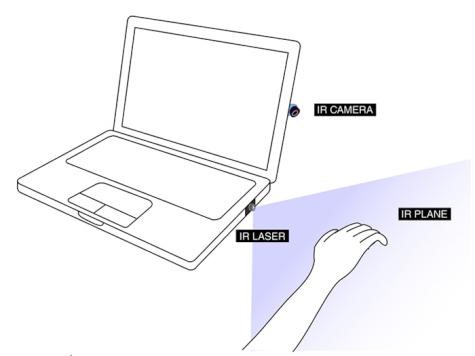
Mouseless is able to identify individual fingers, so users can left-click, right-click, scroll using four fingers, and drag by creating a pinching motion between the thumb and index finger.
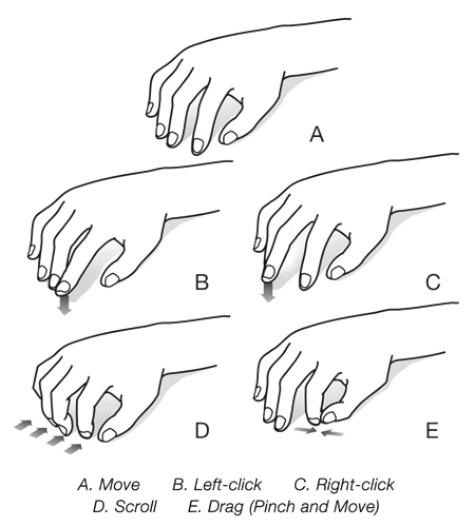
Future revisions of the system could result in “typical multitouch gestures, such as zooming in and out, as well as novel gestures, such as balling one’s fist.” And lest you think this whole setup sounds like it’d be expensive, the prototype system seen in the below video cost around $20 to put together.
[youtube=http://www.youtube.com/watch?v=yHGODp0b8Ks]
More on Techland:
Checking in on the Next Generation of Inventors
This Wallet Gets Harder to Open As Your Bank Account Depletes