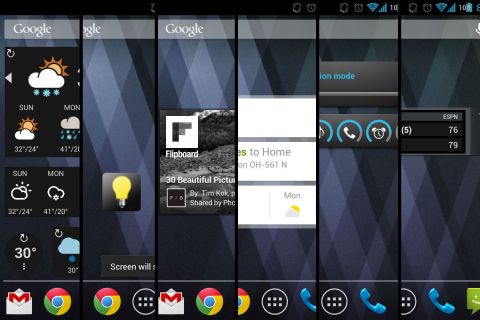
The 13 Best Android Widgets for 2013

Work faster and stay better-informed by adding these essential Android widgets to your homescreen.

24 comments
GattiAngela
GattiAngela

Great app! Extended Controls ! Android Widgets! The best!

GattiAngela
GattiAngela

Great ! Extended Controls! Android Widgets! The best!

RONTHINKblog
RONTHINKblog

I have a new Toshiba Excite 10 running Jelly bean and I have yet to see Google Now work the way I keep hearing it is supposed to. Everyone I know with an iPhone loves Siri and, based on watching it work for them, Google Now seems like an also-ran. The fact that I have yet to HEAR Google Now speak is problem. I am not the only one who has this issue judging from hundreds of posts asking "how do you make Google Now speak?" I just wish the Google faithful would admit that the shocking lack of consistency from device to device, carrier to carrier and platform to platform makes Android a clunky mobile OS. When you don't have to root a device to get rid of bloatware, you can then correctly call Android a true open source platform. Plus, Apple supports its users. Have you ever tried to get Google to respond to an inquiry...about anything...ever. I'm currently 0 for at least 20 attempts over the past few years. It takes a lot of time and energy to get multiple Android products working and looking the way you want them, no matter how pretty the widget. Apple isn't perfect but the doe-eyed Android fanatics are also in a state of severe denial. 

newmanjb
newmanjb

@RONTHINKblog It's best to think of Google Now as a feature of Google's broader Search app, which includes voice search and other things like Google Goggles. Google Now is just the part that tries to give you information automatically, such as traffic on your commute, forecast on places you are traveling to, etc. It's definitely still a work in progress, but I also think it's more useful on a phone than on a tablet, since a lot of the stuff it shows is related to where you are.

As for voice search, I agree that it's not as full-featured as Siri in the voice response department. It only talks back to you for certain Internet queries, such as the score of yesterday's Yankee game or trivia. You can ask Google to set a calendar appointment, for instance, but you still have to tap the screen to confirm it. You can't ask what your next appointment is and get a verbal response. On the flip side, I find that Google voice searches tend to be faster and more reliable than Siri.

Carrier/vendor bloatware definitely sucks. I can't stand S Voice on Samsung's Galaxy S3, and it bothers me that Samsung even presumes to have a better solution than Google, which has been refining search and voice search for years. But the fact that Android is open source is precisely what allows those companies to put those atrocities on their hardware. If you look at Windows Phone, the bloatware situation is a lot more tightly controlled because it is not open source.

sue.lous
sue.lous

I just downloaded this, I like the fact that it shows more than one days worth of weather on the home screen.

NancyHall6
NancyHall6

I love  android widgets specially Calendar, Timeout Toggle and Holo bulb. :)

Kulls
Kulls

Car,weather and halo light widgets are really good. 

bsibby
bsibby

Android 4.2 also runs on the Galaxy Nexus GSM version, and the Verizon update is expected to hit soon.. just fyi

HerbH
HerbH

Actually, AudioManager has several nice widgets. You don't need to launch the app to make changes to audio profiles.

newmanjb
newmanjb

@HerbH Just tried it again to make sure I wasn't crazy or missing something. When you tap on the widget in AudioManager, it takes you into the app. With Sliders it just opens a pop-up volume slider so you can make adjustments right from the home screen. Not a huge difference but the latter just feels faster and simpler in my opinion.

HerbH
HerbH

@newmanjb Two of the widgets launch the app, one has an option between popping up a list or toggling through profiles, and the other is just a toggle. Sliders looks nice, though.

https://plus.google.com/117894678088295729444/posts/HYsbyq4Bn2R

newmanjb
newmanjb

@HerbH Okay, I think I figured out what's going on. The ability to adjust straight from the home screen is only for the Pro version of AudioManager. Sliders does the same thing for free, though it doesn't seem to have as many power user features as AM.

HJCD
HJCD

I would have mentioned Any.DO. A great task manager that comes with a beautiful widget. And second I would have included a Launcher (preferably Nova Launcher) because it provides extended options for widgets.

newmanjb
newmanjb

@HJCD Thanks for the tip! Any.DO looks great.

I tried to keep this as entry-level as possible, so I stayed out of third-party launchers. At least it's not so necessary now that the stock Android launcher supports scrolling and resizing.